Skip to content
info@valuecremations.ca
(780) 221-4445
Home
Plan Ahead
Our Process
About
Shop
Obituaries
Current Obituaries
Submit an Obituary
Home
Plan Ahead
Our Process
About
Shop
Obituaries
Current Obituaries
Submit an Obituary
Get Started
Online Arrangement Process Guide
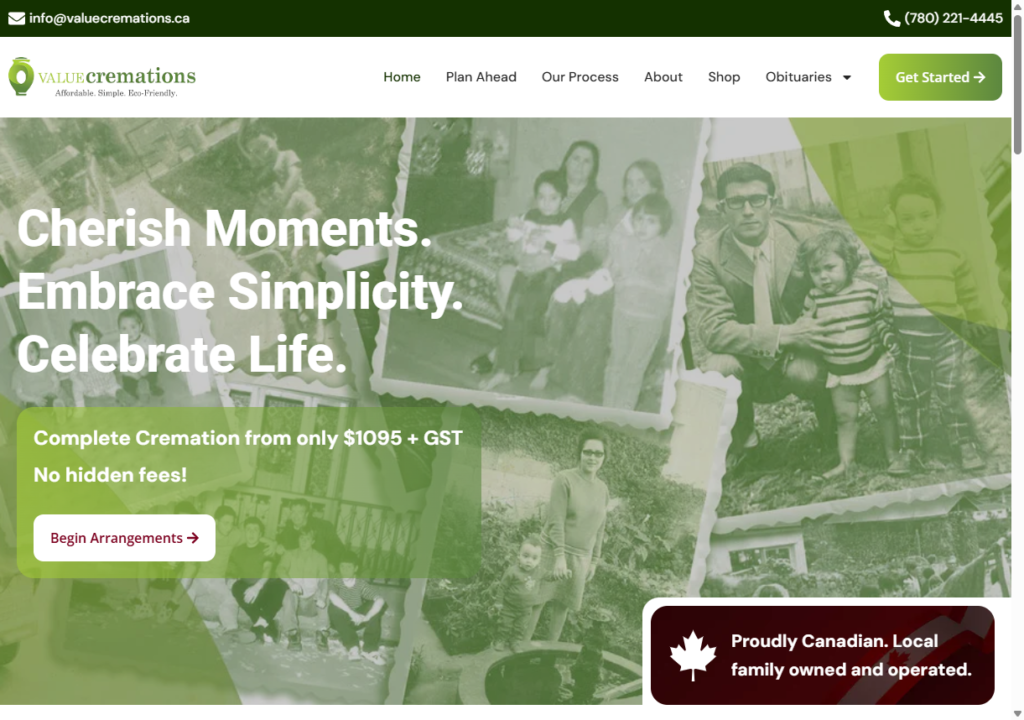
1. Home Page
Go to
ValueCremations.ca
Click “Begin Arrangements” button.
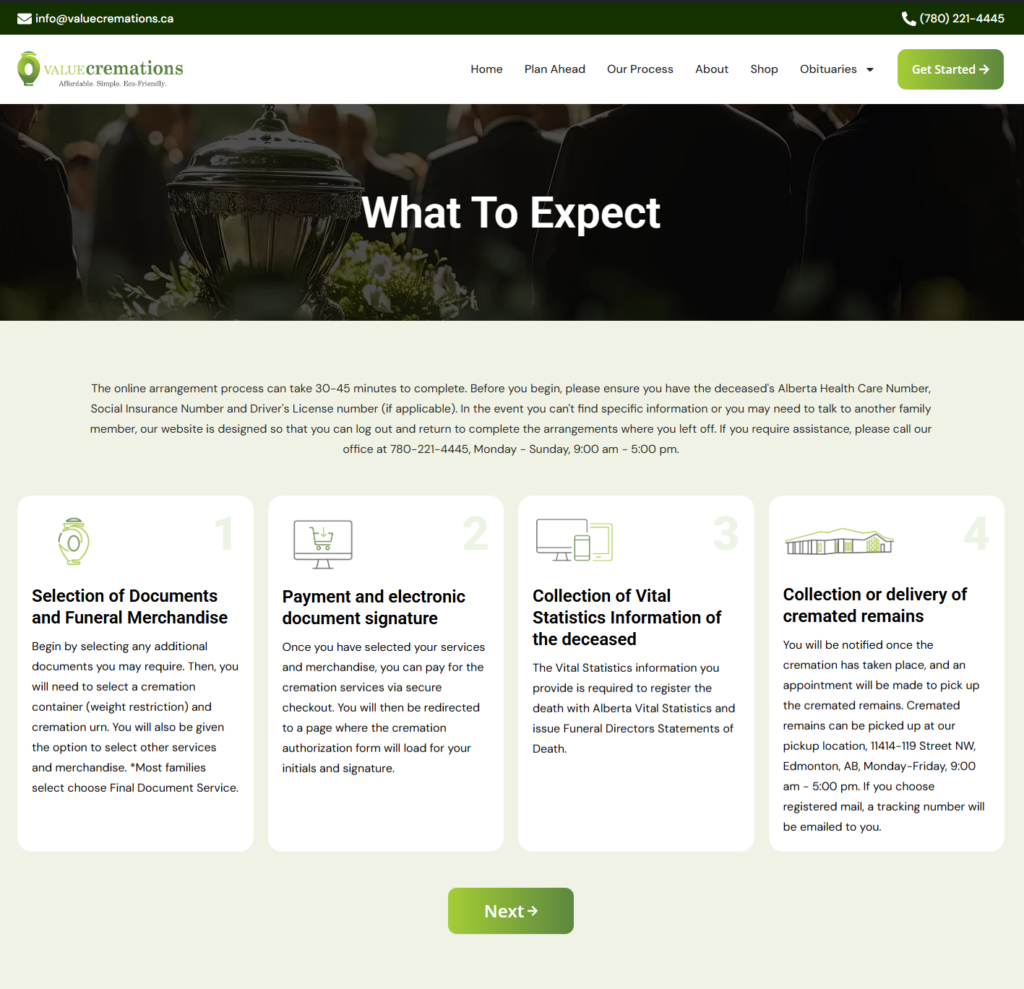
2. Begin Arrangements
You will be redirected to
https://ValueCremations.ca/What-To-Expect/
Click “
Next
” button.
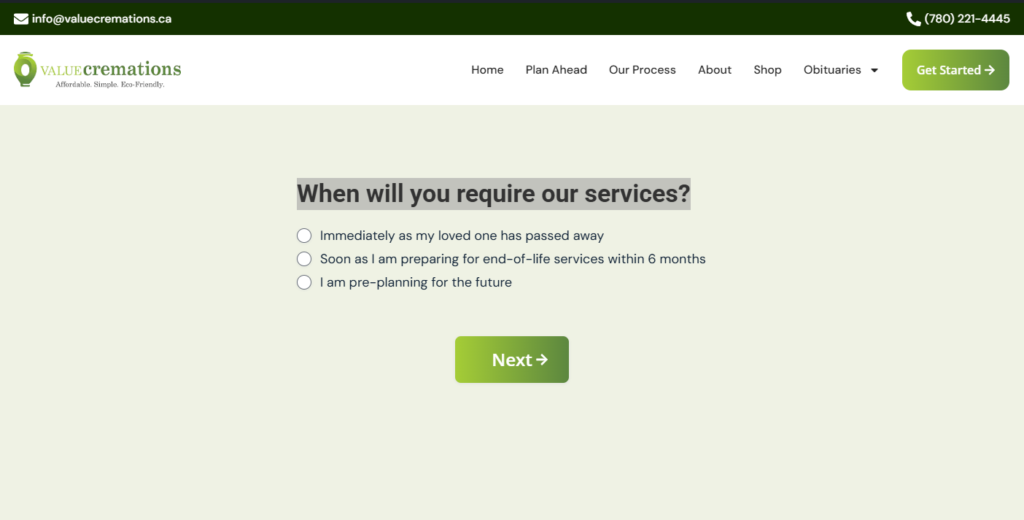
3. When Will You Require Our Services?
You will be redirected to
https://ValueCremations.ca/When-Will-You-Require-Our-Services/
Make desired selection.
Click “
Next
” button.
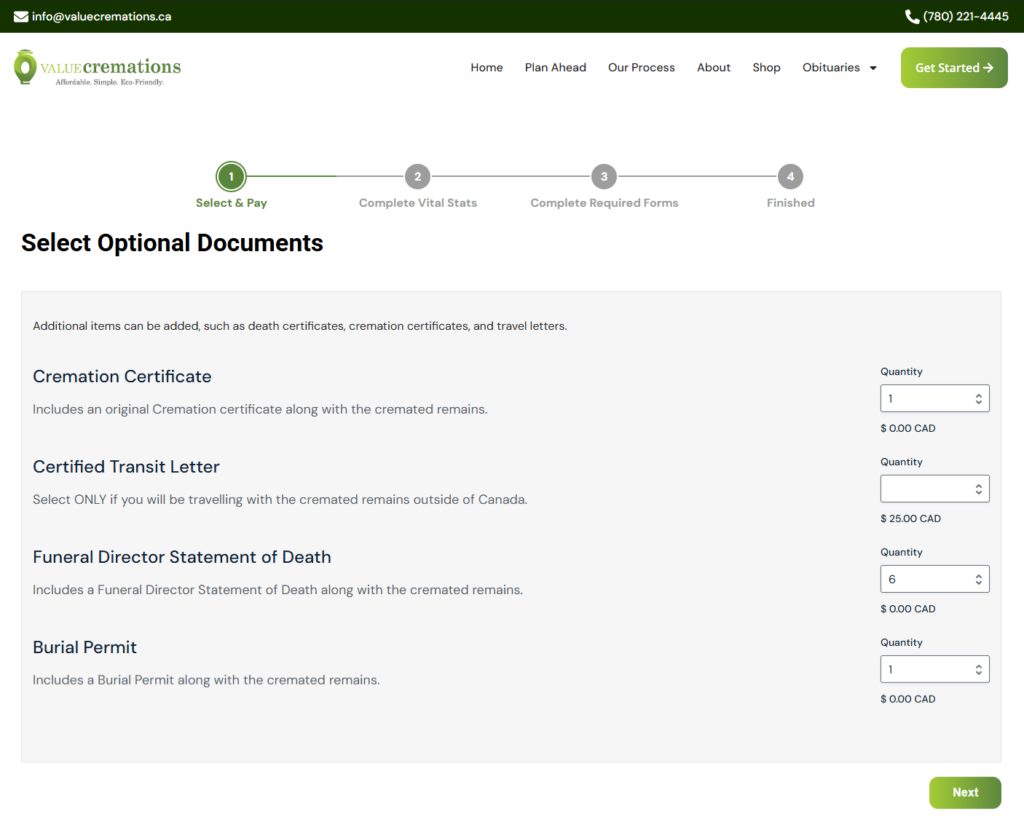
4. Select Optional Documents
Make desired quantity in documents.
Click “
Next
” button.
5. Identification Options
Make desired selection.
Click “
Next
” button.
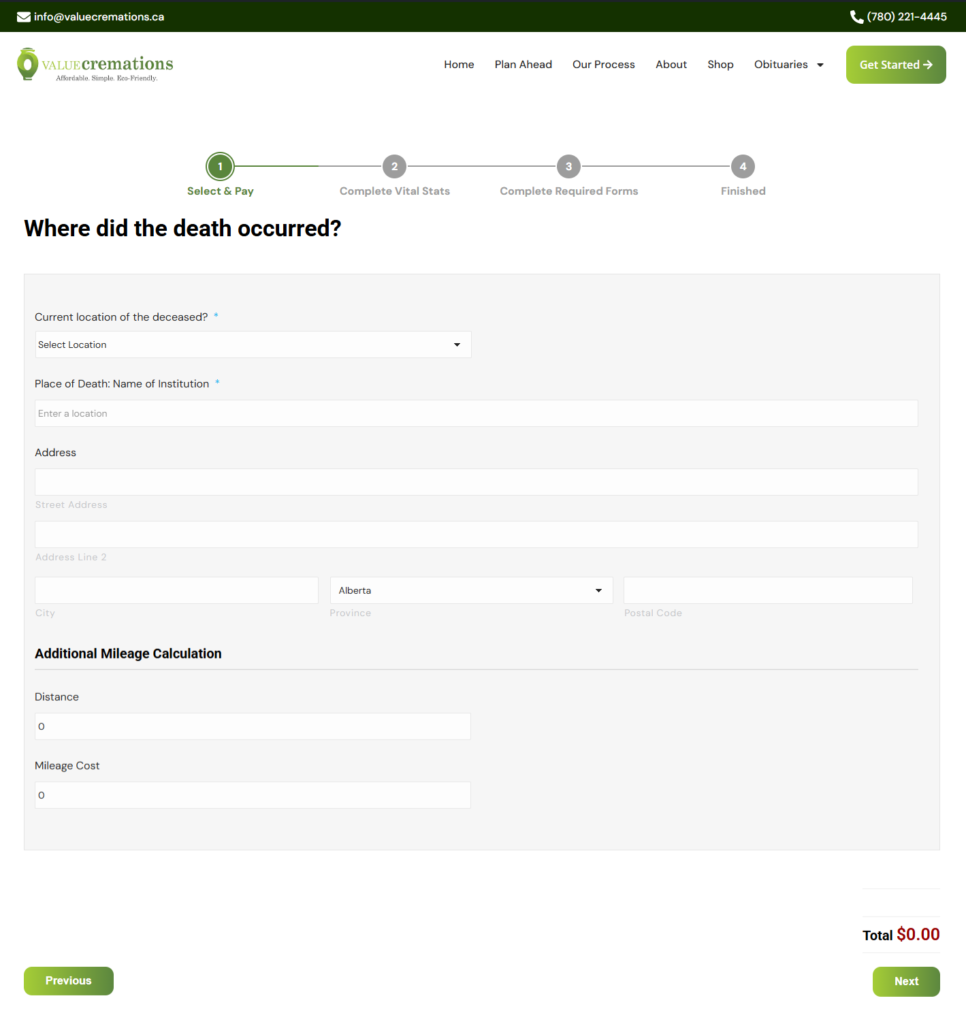
6. Where Did The Death Occurred?
Make desired location.
Click “
Next
” button.
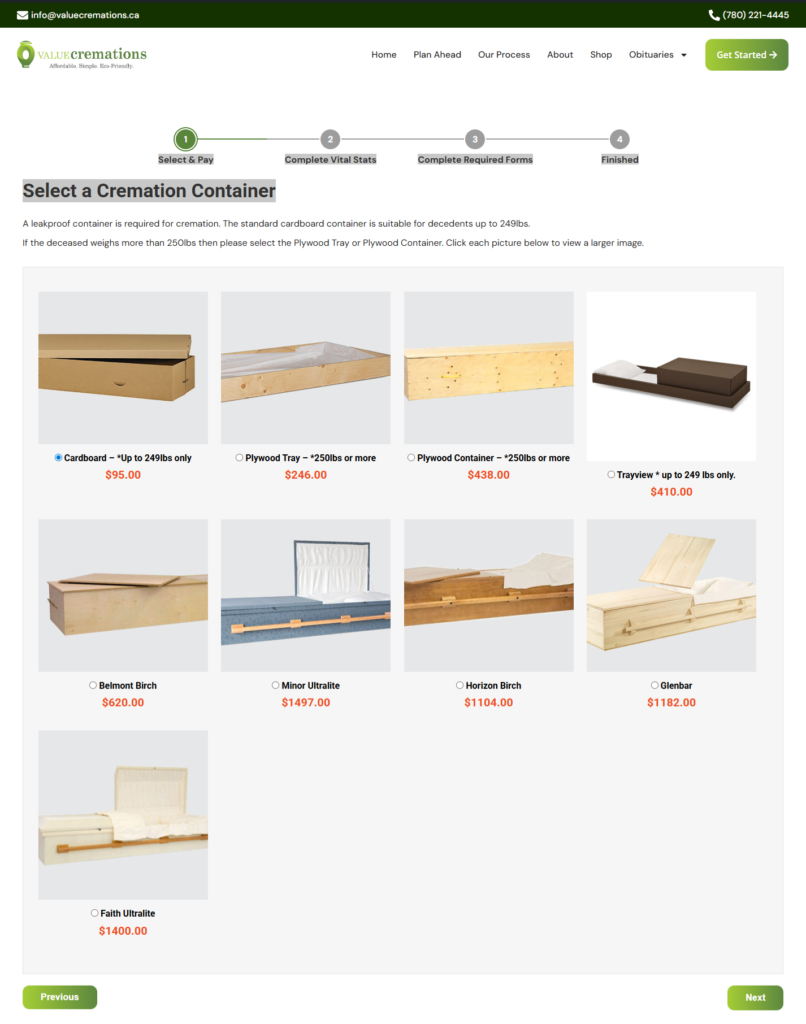
7. Cremation Containers
Make desired selection.
Click “
Next
” button.
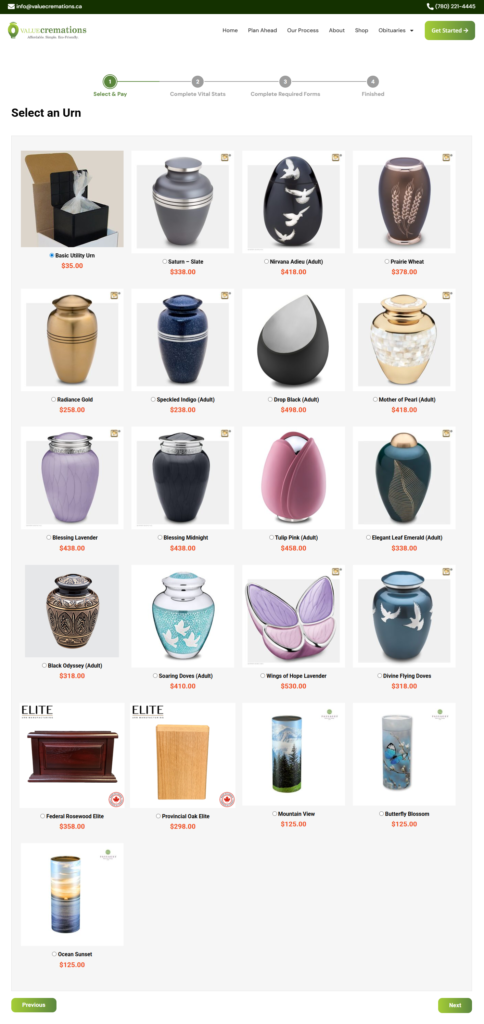
8. Urns
Make desired location.
Click “
Next
” button.
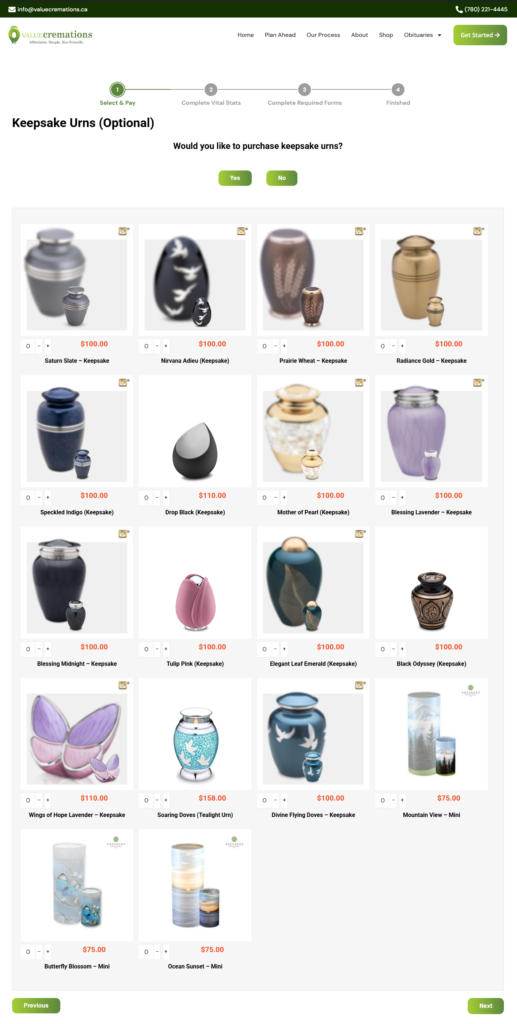
9. Keepsake Urns
Make desired selection.
Click “
Next
” button.
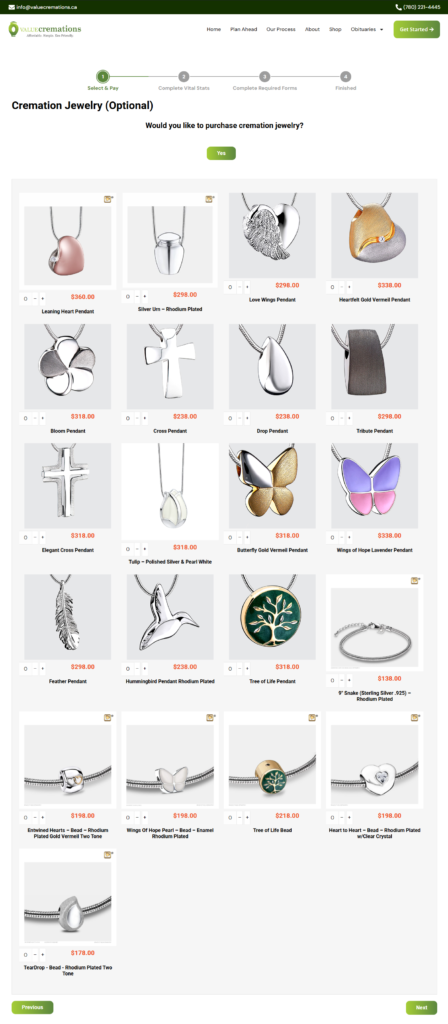
10. Cremation Jewelry
Make desired location.
Click “
Next
” button.
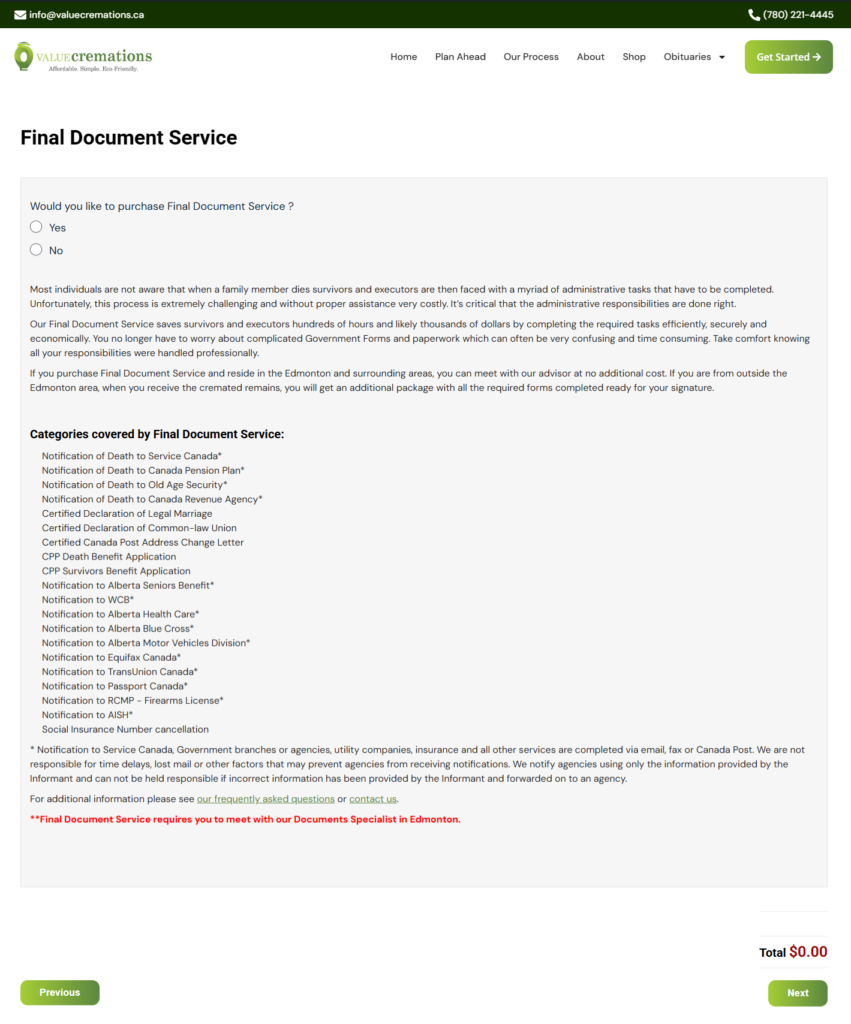
11. Final Document Service
Make desired selection.
Click “
Next
” button.
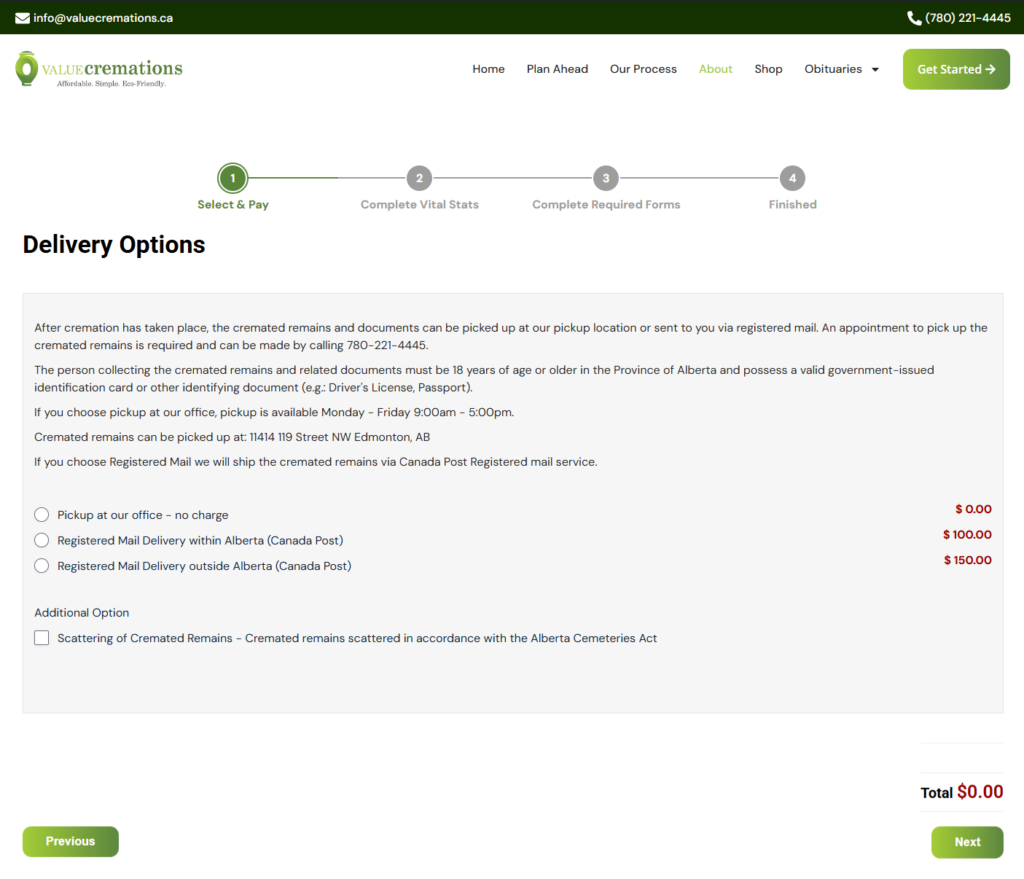
12. Delivery Options
Make desired location.
Click “
Next
” button.
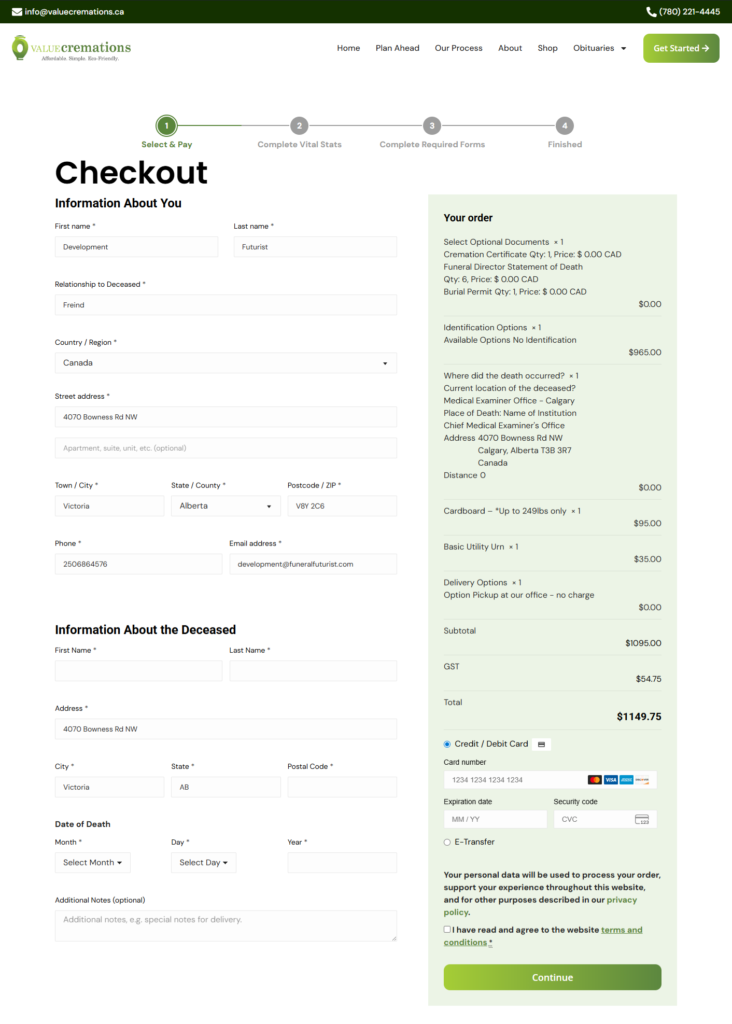
13. Checkout
You will be redirected to
LowerMainlandCremation.ca/checkout/
Complete Billing Address fields.
Complete Additional Information fields (who the arrangement is for).
Select payment option.
Check box agreeing to terms and conditions after clicking link to read.
Click “
Continue
” button
14.
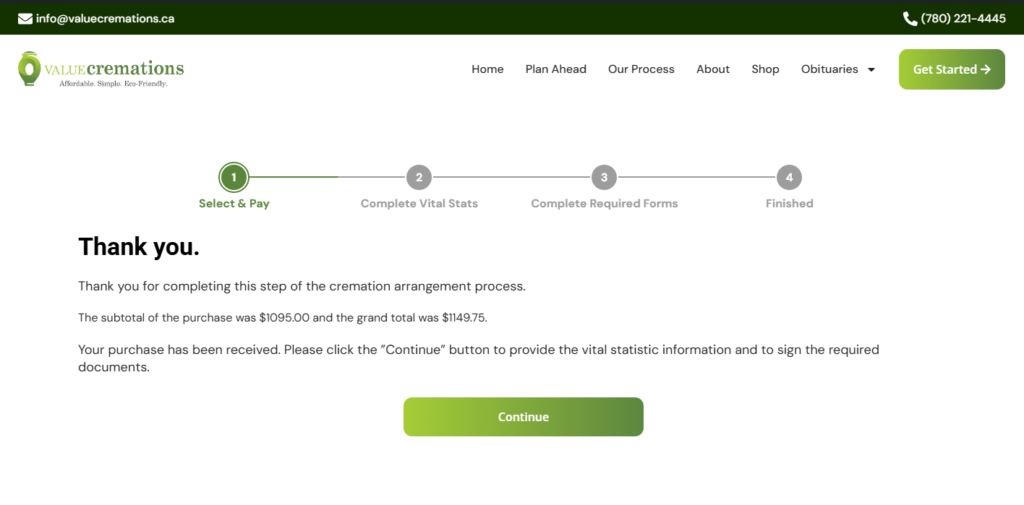
Order Complete
You will be redirected to
https://ValueCremations.ca/Checkout/Order-Received/
Click the
Continue
button to proceed to Vital Stats form
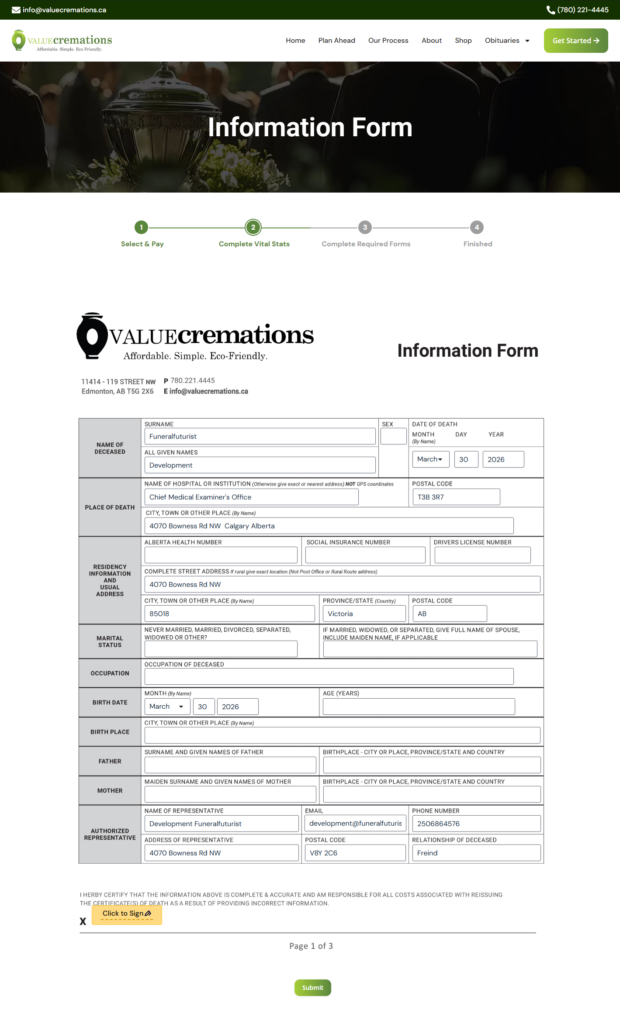
15. Vital Statistic Form
You will be redirected to
https://ValueCremations.ca/Information-Form/
Complete all fields and sign.
Click “
Submit
” button to continue.
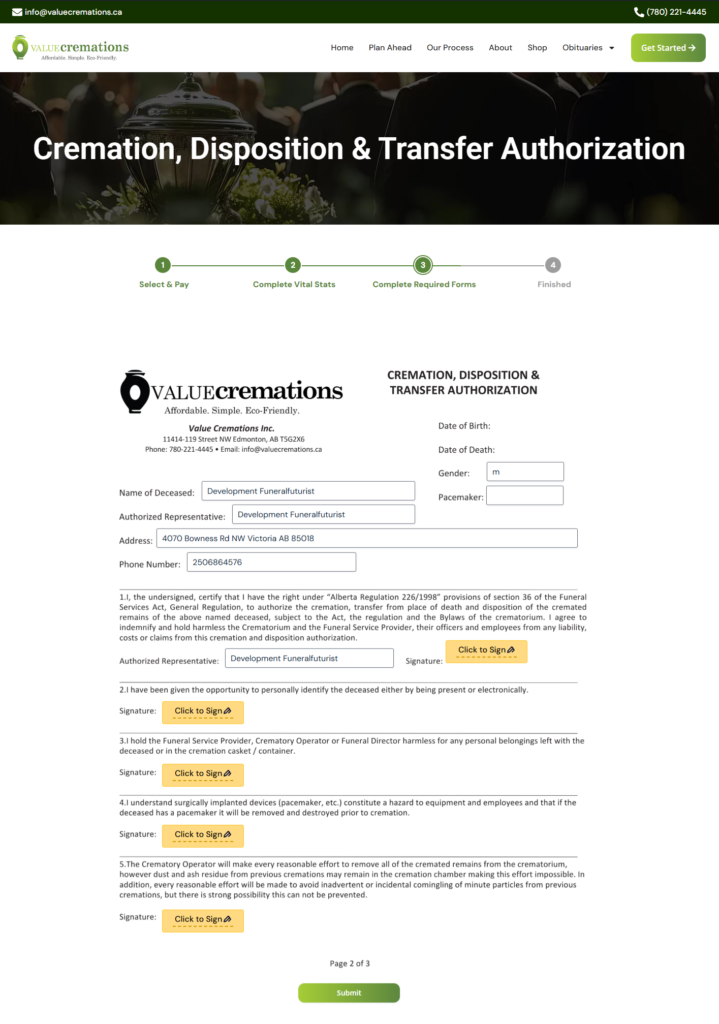
16. Cremation, Disposition & Transfer Authorization
You will be redirected to
https://ValueCremations.ca/Cremation-Disposition-Transfer-Authorization
Complete all fields and sign.
Click “
Submit
” button to continue.
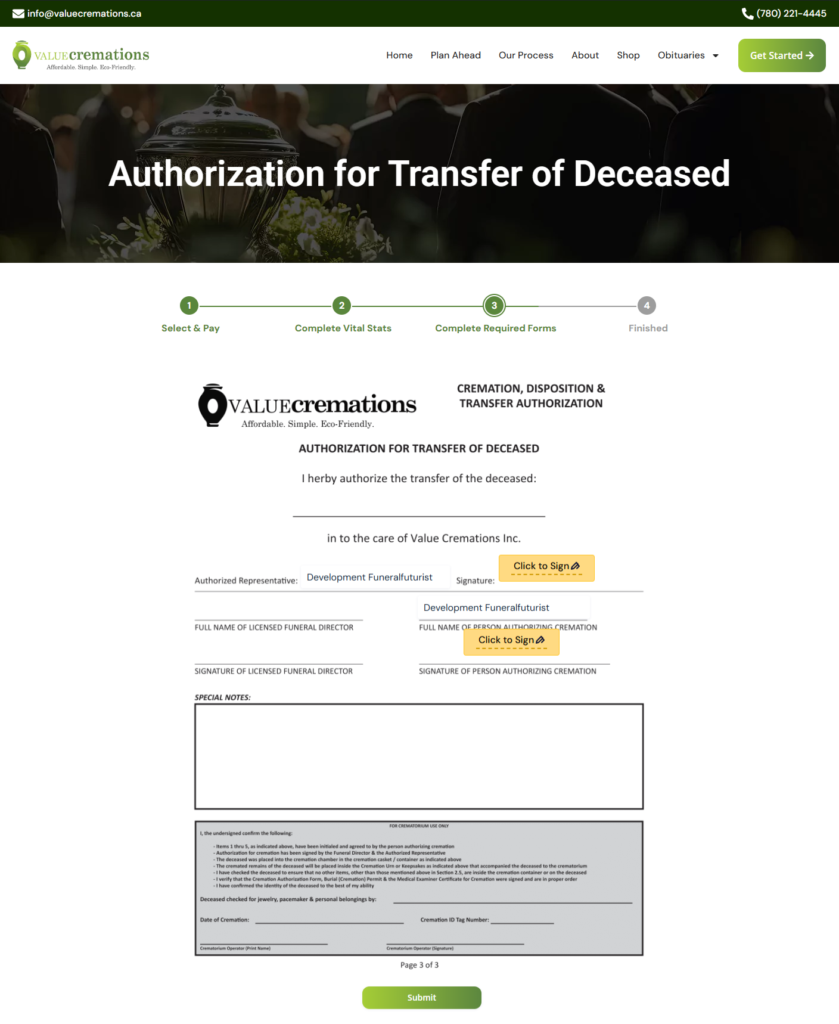
17. Authorization for Transfer of Deceased
You will be redirected to
https://ValueCremations.ca/Authorization-For-Transfer-Of-Deceased/
Complete all fields.
Click “
Submit
” button to continue.
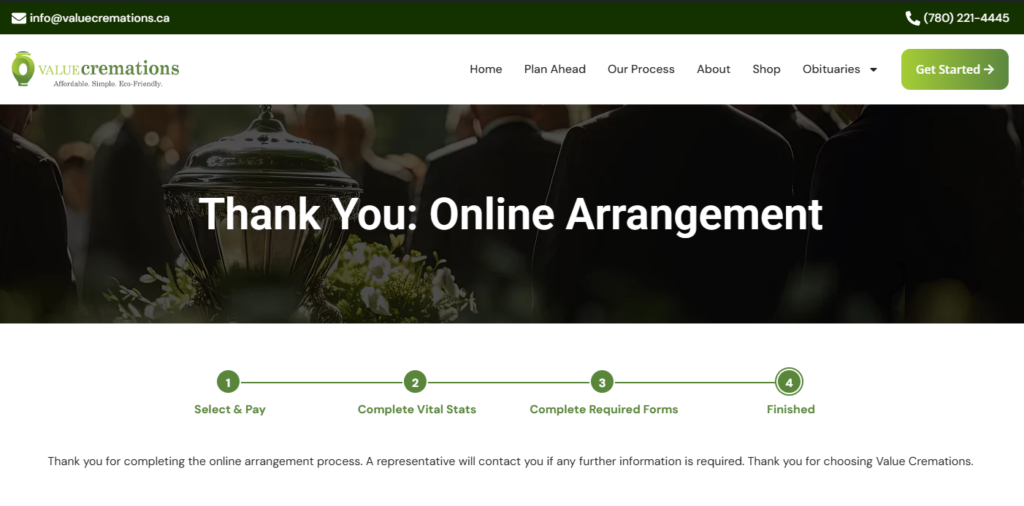
18.Thank you
You’ve finished our Online Arrangement Process
Please wait for our message.
Go to Top